
The problem
Most CRM projects die at the migration. Years of contacts sit in spreadsheets and old systems, half of them duplicated, and moving them looks like enough work to postpone the whole thing indefinitely.
What Data Import & Export does
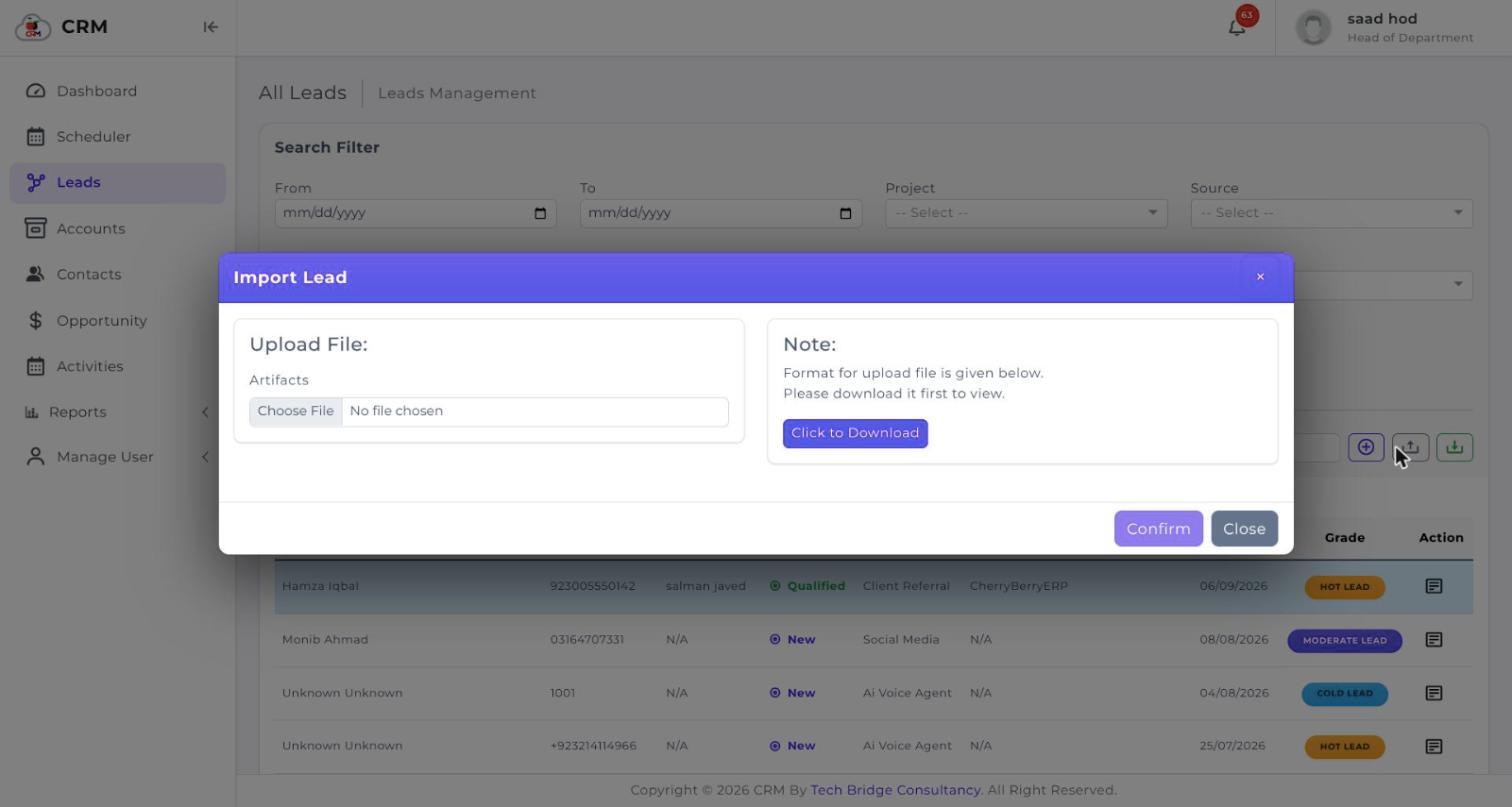
Bulk import brings your existing leads in from a spreadsheet, and export takes any list back out in a standard format whenever you want it.
Capabilities
What you get with Data Import & Export
Bulk import from a spreadsheet
Download the import template, fill it with your existing leads and upload it. A few thousand rows go in as one file rather than one form at a time.
A fixed template, so the shape is never in doubt
The template defines exactly which columns the import expects. There is no guessing about what maps where, and no half-imported file to unpick afterwards.
Export from every list
Leads, contacts and opportunities each export from the list screen, with whatever filters you have applied still in force.
Filtered exports, not just everything
Filter to a date range, source, grade, stage or owner first, and the export contains that selection rather than the entire database.
Standard formats
Spreadsheet files in and out, so the data opens in whatever your team already uses without a converter in between.
Your data stays yours
Export is a standard part of the product rather than something you have to request, so leaving is never blocked by the software.
Questions
About Data Import & Export
See it running on your own process
Book a walkthrough and we'll show you CherryBerry configured around the way your team actually sells — not a generic demo tenant.