The problem
What was actually agreed on that call lives in one person's memory, their notebook, or an email thread nobody else can find. When they're on leave — or they leave — it goes with them.
What Notes & Attachments does
Notes and attachments attach free-form context and files directly to the record they belong to, so the history of a relationship survives any individual's involvement in it.
Capabilities
What you get with Notes & Attachments
Free-form notes on any record
Record notes against a particular record — a sales opportunity, a customer — without forcing what was said into rigid fields.
Attach the actual files
Upload and associate images, videos and documents with the records they relate to, so the contract and the conversation live together.
Meeting records
Capture what was discussed in a meeting, agenda or conference at the time, while the detail is still accurate.
Attributed and dated
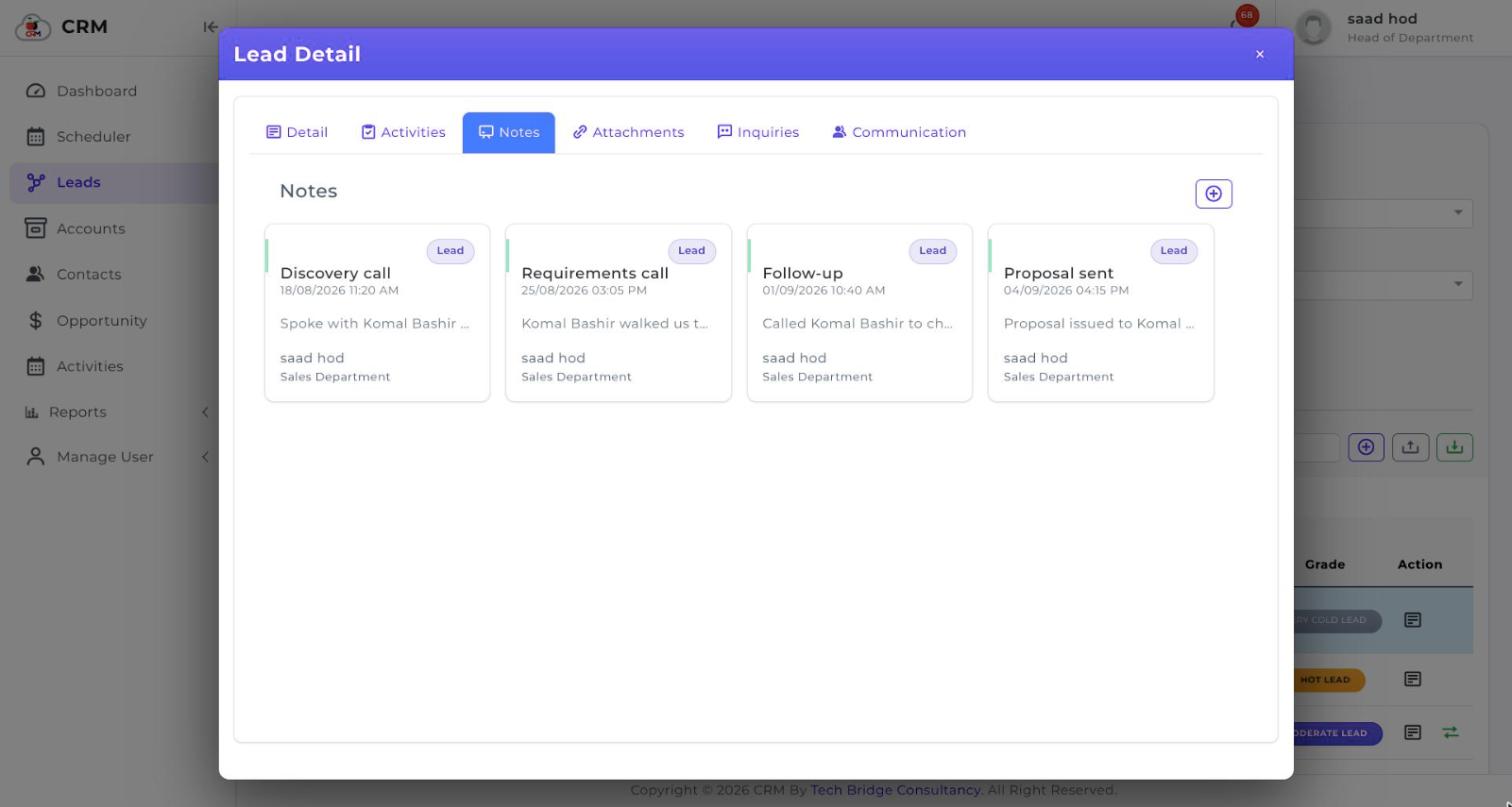
Every note carries who wrote it, which department they belong to and when — so the history reads as a record rather than an anonymous pile of text.
Follows the record through the pipeline
Notes and files added against a lead stay with it when it converts to a contact and on into an opportunity, so nothing is lost at the hand-off.
Available anywhere
Cloud-based, so notes can be added and reviewed without being at the workstation where they were written.
See it running on your own process
Book a walkthrough and we'll show you CherryBerry configured around the way your team actually sells — not a generic demo tenant.